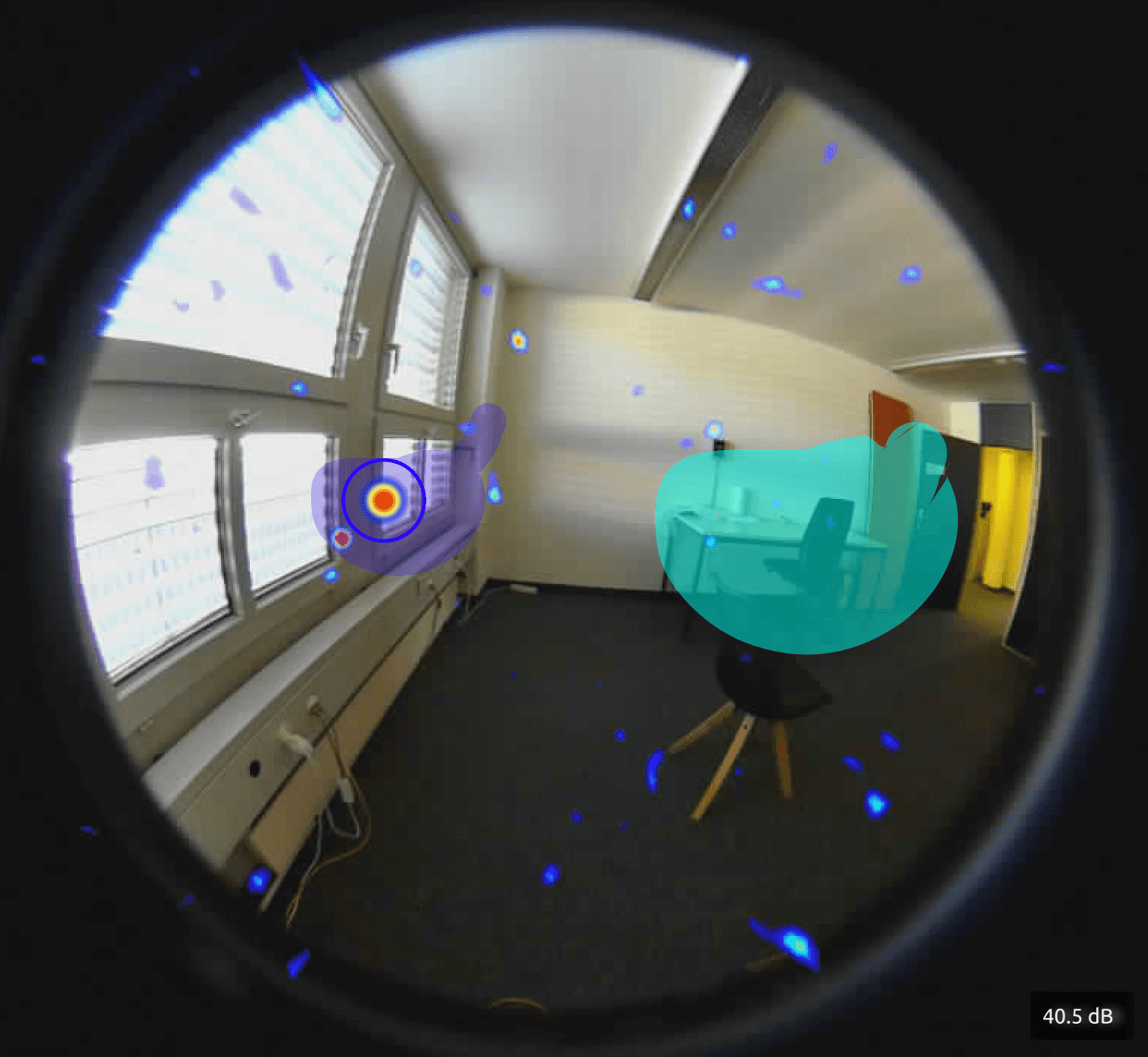
Design Goal
Empower operators to proactively safeguard facilities through real-time monitoring, intelligent alerts, and actionable insights derived from gas leak data.
Core experiences
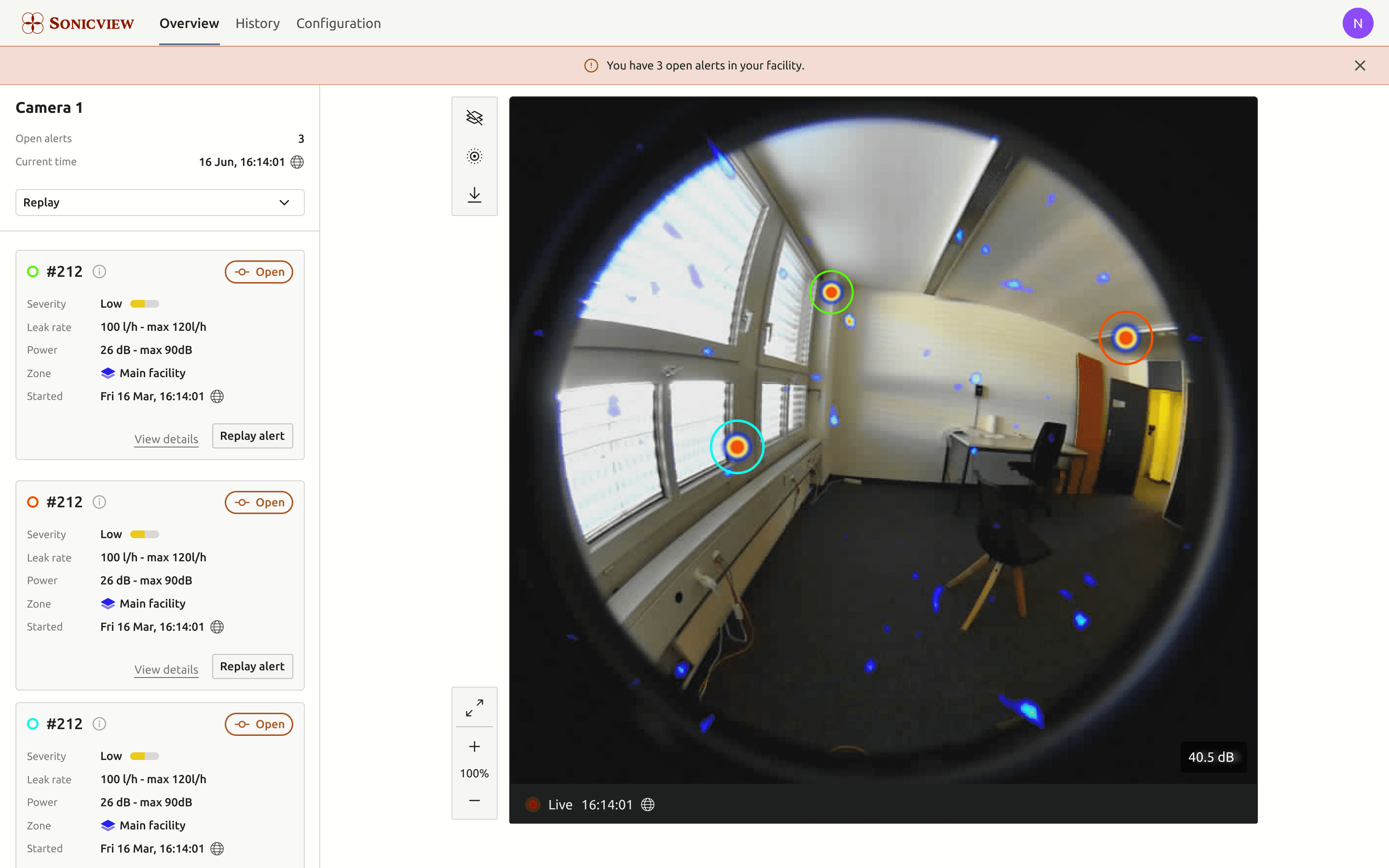
Monitor alerts in real-time
UXR
Discovery pillars for our approach
Operators need access to a live view to quickly assess the facility's current state. To design an effective interface, we began our research by collaborating with existing operators to identify the critical information they need and when they need it.
Decision Making
What information is critical for operators to confidently manage gas leak events?
Habits
How do operators currently monitor and respond to potential gas leaks?

Priorisation
What are the core tasks operators perform during gas leak detection and response?
Feed
Operators would like to see the live feed from the fixed detectors so that they can view the scene under surveillance.
Recorded Data
Operators would like to view the available recorded data so that they can view what happened in past.
Alerts
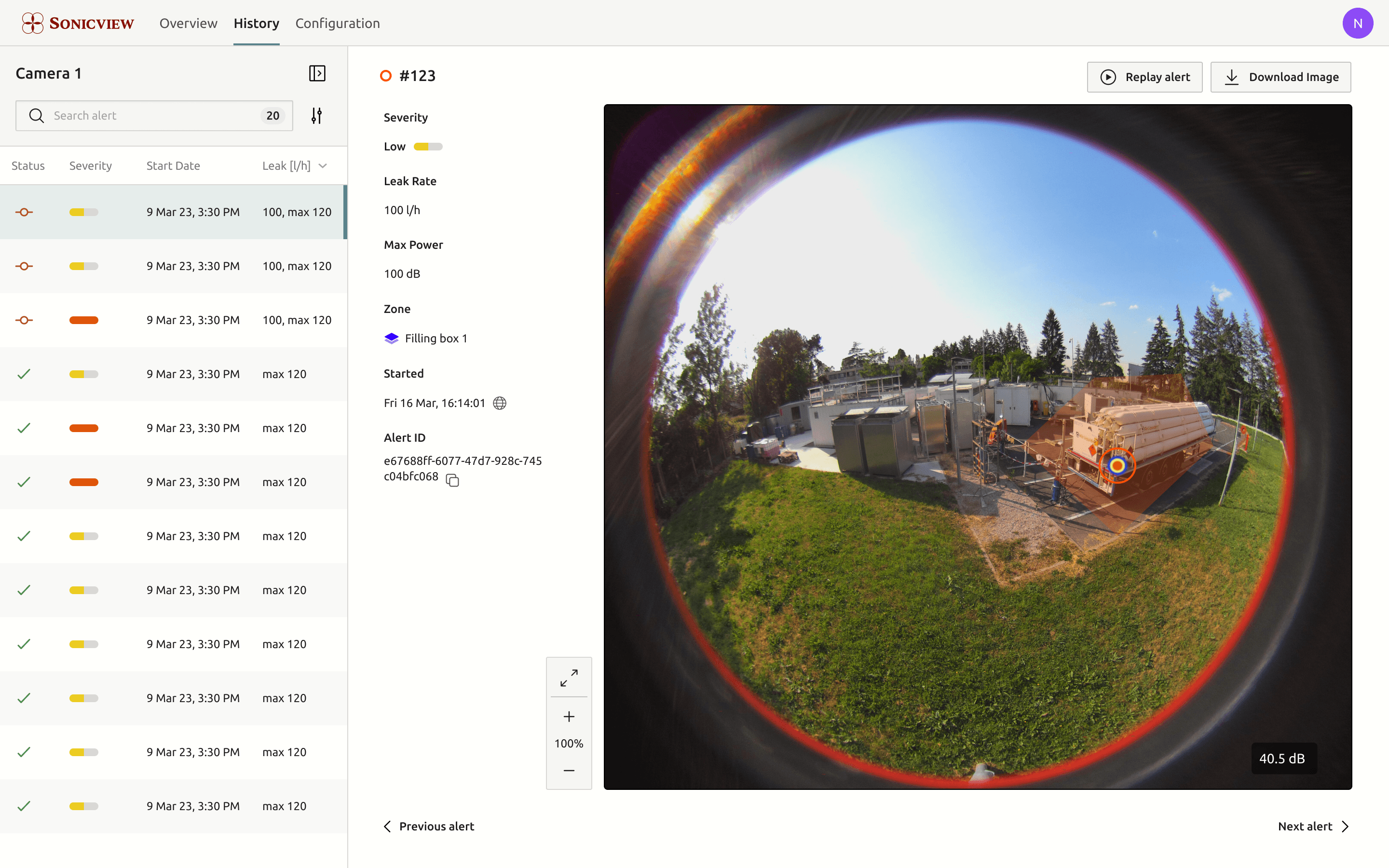
Operators would like to view the current and past alerts so that they can take appropriate action or learn more about the alert.
Areas of Interest
Operators would like to define and view zones of a camera so that they know which areas are under surveillance.
Sensitivity Indicator
Operators would like to see the current sensitivity of the camera so they can better understand the environment.
Alert Configurations
Operators would like to set thresholds on their alerts, so they can influence the sensitivity of the alert to be more accurate.
Features & Reasoning
Configuration workflow
This web UI empowers operators to define zones on the camera feed to monitor specific areas, set alert thresholds, and manage triggered alerts. They can view live camera feeds, review past alerts, and filter through historical data for comprehensive gas leak monitoring.
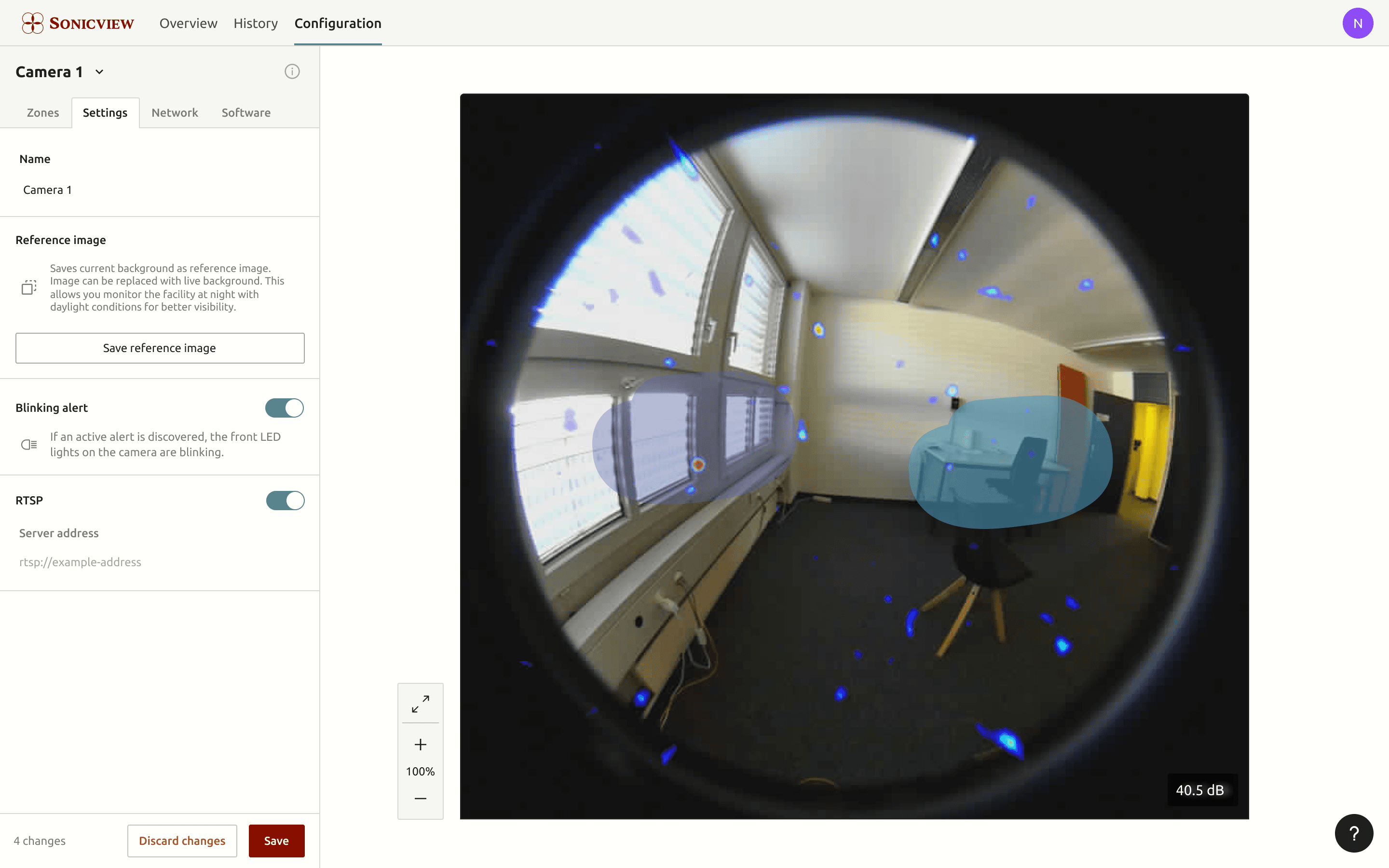
Alert interface explorations
Operators can quickly monitor live alerts, key metrics, and events. They can correlate camera and sidebar data to act on critical information. This view can also be displayed on-site, ensuring immediate alert tracking.
Iterations
Design explorations & iterations
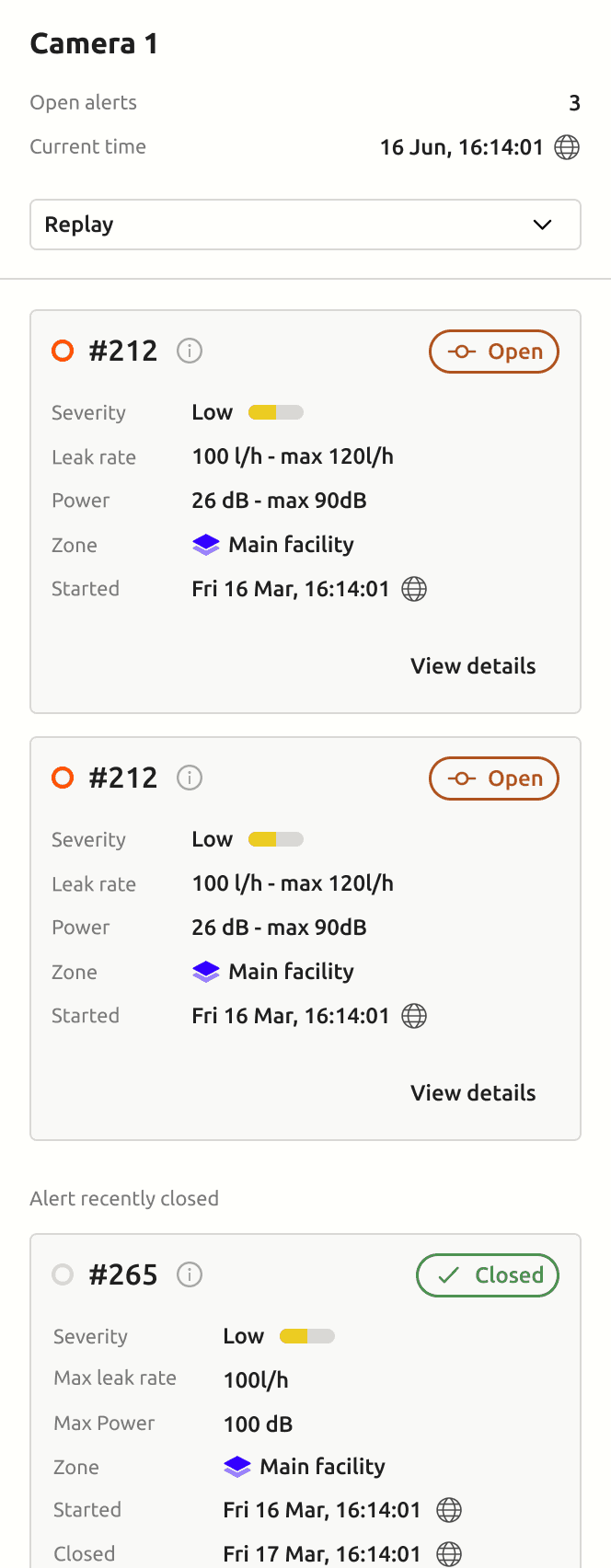
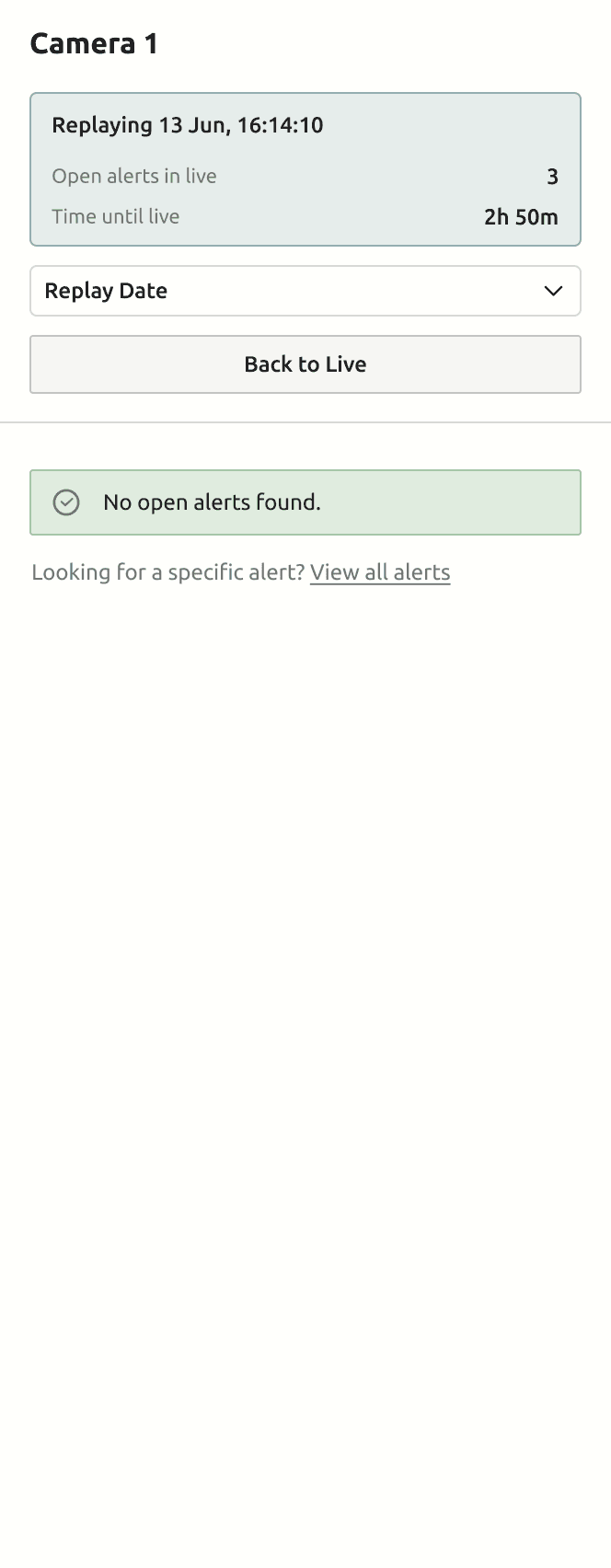
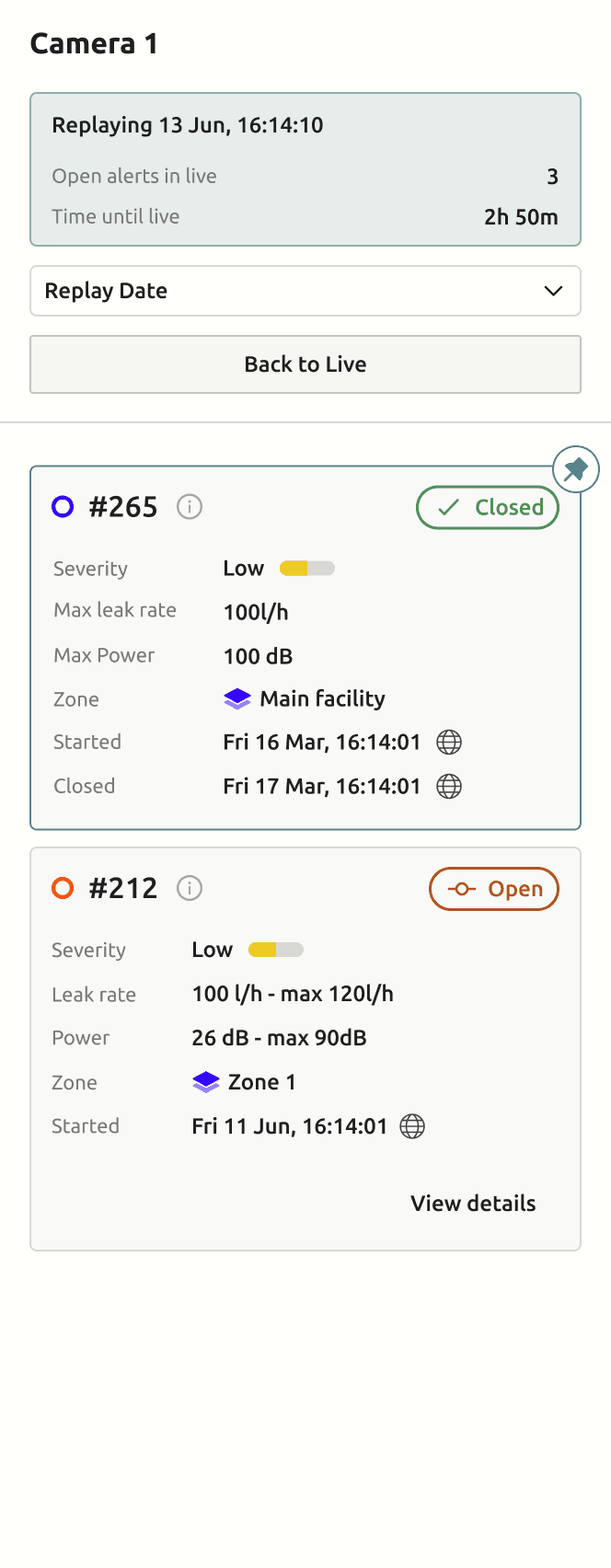
The web interface design was an iterative process involving product managers, engineers, and designers. We balanced user needs, technical feasibility, and business goals within tight constraints. Below is our iterations on live and replay mode.
initial explorations (MVP)
Initial Prototype explores a multi-camera view, but reduced to a single view for focused functionality and early testing.
iteration 2
Final iteration
2nd Iteration: A bold colour palette was dropped for usability. The replay feature was moved below the camera. Key challenges: unclear live/replay distinction, imprecise date selection, limited playback, and no alert-specific replays. Final updates added a precise replay timeline, repositioned sidebar, prioritised active alerts, unified banners, and colour-coded alerts to improve efficiency.
learnings and impact
This interface innovation has enabled the successful launch of a new, market-leading camera, where its software interface is now a key competitive advantage.
Since its recent release, over 40 operators in several countries have incorporated the Web UI into their daily workflows.